FlyBeeper SunVario
Super-light variometer with Bluetooth, solar panel, and supercapacitor. Operates from -25 to +65 °C. 500k charge/discharge cycles. 60 seconds of USB Type C charging to 100% or 15 minutes of sunlight for activation. Always ready with a "perpetual" battery.
No public firmware build yet.
Changelog
Changelog
Version: 0.32.0 | Date: 08.10.2026 | Download
- Genuine device check: the device can now prove to the FlyBeeper app that it is a genuine FlyBeeper. Every device has its own key, which stays the same through firmware updates and settings resets. The app uses it so that only real devices can vote for sound presets.
- Sound, vario and flight behaviour are unchanged.
Version: 0.31.1 | Date: 08.10.2026 | Download
- Faster vario: the vario now reacts to the start of a climb or a sink noticeably faster — around 0.35 s instead of 0.55 s — while staying just as quiet when you are standing still.
Version: 0.31.0 | Date: 08.10.2026 | Download
- True m/s at any altitude: until now the reading was exact only around 800 m — at sea level it over-read a climb by 8 %, at 3000 m it under-read by 20 %. The vario is now correct at any altitude, so the sound thresholds trigger at exactly the speed set in the configurator.
- More precise at low speeds: small vario values are no longer under-read by 2–4 % and no longer “stick” within ±5 cm/s of zero.
Version: 0.30.0 | Date: 06.10.2026 | Download
- Tone hold thresholds are back: the climb and sink “off” thresholds work again. Once a tone has started it now keeps sounding down to its own off threshold — the climb tone down to the climb-off value, the sink tone up to the sink-off value — instead of stopping the moment the reading crosses the switch-on threshold. Each hold keeps only its own tone, so a climb tone fading into sink territory goes quiet rather than turning into the sink tone. The default values give no hold, so the device sounds exactly as before until you change these settings.
- Early exit can be switched off: the climb hysteresis (the early silence when a climb is weakening) is turned off by setting it to 0. Previously 0 and negative values were silently replaced with 0.25 m/s. With a non-zero value the early exit still takes priority over the climb hold.
- Simulator sounds like the real thing: a vario value sent from the configurator’s simulator now goes through the same averaging as the barometer, so the device sounds just like the sound emulator in the configurator.
Version: 0.29.1 | Date: 17.09.2026 | Download
- Louder in the weak band: the piezo was noticeably quieter between 1700 and 2100 Hz. The buzzer now uses a tuned duty cycle there instead of the fixed 50 %, which adds 7–11 dB right where it was missing. You will hear it in the vario tone around 3.6–4.5 m/s, in the last note of the power-on melody and in the middle ticks while holding the button; all other tones are unchanged.
- One firmware for every board revision: the device reads its board revision from its own factory record and picks the battery measurement to match. Board revision 10 has no battery divider and reads the supercapacitor straight from the supply voltage, with a scale from 0 % at 2.8 V to 100 % at 3.6 V, the level its charging circuit tops out at. Devices on board revision 8 keep their current scale.
Version: 0.28.3 | Date: 30.08.2026 | Download
- Quiet on the ground now follows the ground: the reference pressure is re-taken every 10 seconds while you stand, so barometer drift no longer looks like a take-off, and a device switched on down in the valley and carried up to launch treats the launch as the ground after a minute. A take-off is a climb of 2 metres from that reference; a landing is a minute of stillness within half a metre.
- Over-the-air update made robust: the hardware watchdog keeps running through the software reset that starts an update and could fire inside the bootloader’s image check right after the swap finished, sending the device back to the old version. Its window is now 6 seconds. On firmware older than this version the configurator installs the update in permanent mode to get past that watchdog.
- More headroom for updates: the Bluetooth transfer buffer was trimmed, which frees 3 KB of memory. Updating takes slightly longer and is more reliable.
- “Silent on the ground” now really is silent: the setting used to stop the vario from being updated instead of muting the sound, so the last value stayed frozen and the buzzer kept sounding it. After landing on a descent the device would keep beeping descent without stopping. Now the sound is muted while the readings continue as usual.
- No self switch-off after an update: the double-reset window now only counts a press of the button. The reboot that follows an over-the-air update is a software one, and it could previously be mistaken for a button press — a device could go to sleep by itself right after updating.
Version: 0.26.0 | Date: 19.08.2026 | Download
- Power-on confirmation: The device powers on only after the button is held for 3 seconds — an accidental touch in a pocket no longer wakes it. The hold is accompanied by ticks with a rising rate, so you hear how much longer to hold. Release earlier and the device goes straight back to sleep.
- Lower idle current: The internal DC/DC regulator of the nRF52 is now enabled. Measured on a live rev 8 device: 298 → 236 µA, 21 % less. The choke has been on the board from the start; the firmware had simply never switched the regulator on.
- Barometer polling follows the volume: The sensor stops being polled when the sound is off and nobody is subscribed. Polling the barometer is the single most expensive thing the device does, and it no longer runs for nothing.
- Audible feedback while holding: Ticks during the button hold and during boot. The LED sits right next to the button and gets covered by your finger, so the countdown is duplicated by sound.
- Long-press cancel: Release the button after the ticks have started and the volume no longer switches. Previously you got a volume change while reaching to switch the device off and changing your mind.
- Smooth melodies: The power-on and power-off melodies no longer break up. They used to be interrupted by flash writes (settings save, image confirm), which stall the CPU on nRF52.
- Reliable power-off: The buzzer is stopped synchronously right before deep sleep. An unfinished melody can no longer keep the device awake with the PWM running — the state where it looked switched off but kept draining the supercapacitor.
- Auto power-off by inactivity: Configurable timeout — the device switches itself off when it is neither connected nor touched. 0 disables it, and the shortest timeout that can be set is 5 minutes.
- Long-press modes: What a long press does is decided by the “Bluetooth never sleep” setting: full power-off, or “go silent but keep advertising” so the device is revived by simply reconnecting.
- Battery reading: Refreshed every 5 minutes instead of every 10 while connected.
- Faster connection: The Bluetooth advertising interval in the economical mode is down from 3.5 s to 1.28 s, and after power-on, a disconnect or a button press the device advertises at 100–150 ms for 30 seconds. Phones find it noticeably faster.
- Bluetooth stability: Outgoing notifications moved to a dedicated queue. A sleeping phone on a degraded link could previously stall the whole Bluetooth stack — the device looked frozen until reconnect.
- New barometer supported: SPL07-003 is recognised alongside SPL06-001 — required for board revision 8.
- Update protection: The build no longer publishes images that are unsuitable for over-the-air updates.
Manual
FlyBeeper SunVario
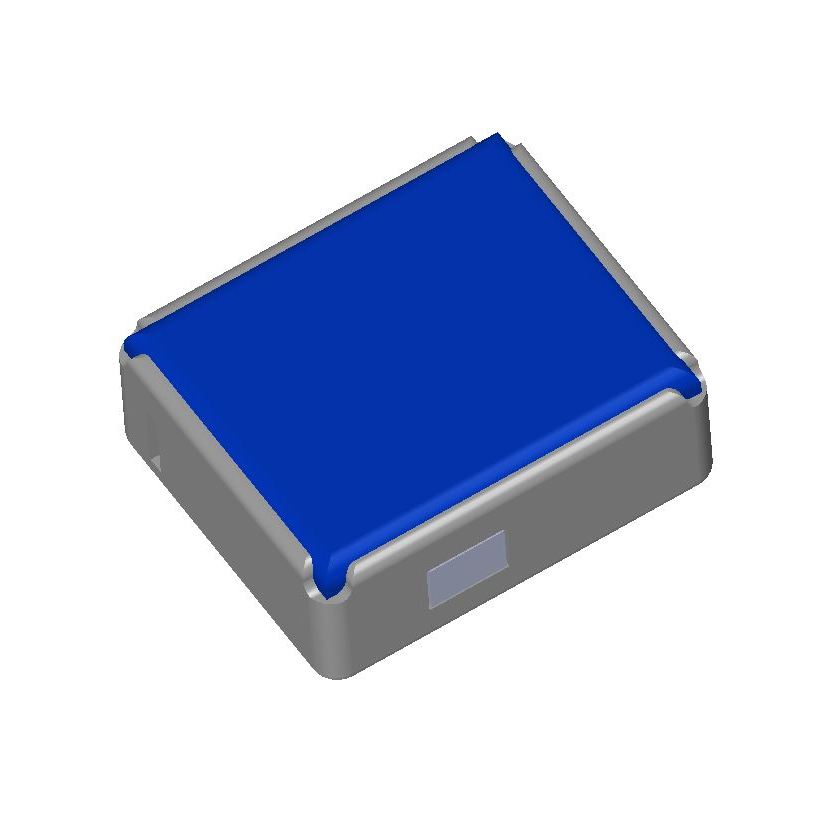
Manual
Device Operation Modes
The device operates in four modes:
Connection Standby Mode
As soon as the battery voltage exceeds the minimum level, the device turns on and enters the Bluetooth connection standby mode. Advertising slows down in three steps: every 100–150 ms for the first 30 seconds (fast reconnect), every 500–600 ms up to the two-minute mark, and once every 1.28 s after that. The device is found quickly right after power-on and costs almost nothing while nobody is looking for it. Between advertising packets, the device is in sleep mode.
External Pressure Sensor Mode
Bluetooth connection does not require pairing. The device name in the Bluetooth scan list starts with FBSV. As soon as the device receives a connection request, periodic battery level measurement is activated and the LED starts blinking. After establishing a connection, it is possible to read the battery level and subscribe to atmospheric pressure changes. In the latter case, periodic reading of the barometric sensor data is activated at a frequency of 62 times per second (every 16 ms). The data is filtered, smoothed, and sent to the subscriber 10 times per second. In between, the device is in sleep mode. When the Bluetooth connection is disconnected, the device returns to standby mode with periodic transmission of advertising packets.
Sound Variometer Mode
By pressing and holding the button, the device plays a melody and enters the sound variometer mode. A single press of the button changes the volume level. There are 3 levels in total. A double press and hold plays a melody, and the device enters silent mode.
Transportation Mode
For cases where the charge level is still high, but it is necessary to completely turn off the device, for example, for air transportation. On the back panel, find the hole for the Reset button. Press once and, 2 seconds after the LED blinks once, press again. To exit the mode, press the Reset button once.
Power, charging and runtime
Energy is stored in a 10 F lithium-ion capacitor, not a battery. You are not expected to charge it: the solar panel covers a flying day, and the capacitor carries the device through glides in shadow and the evening. USB-C is there for the case where the device sat in a dark bag for months.
The figures below were measured on a revision 8 device (16 August 2026). The bank’s working window is 3.8 → 2.7 V (11 C, 3.1 mAh); sun takes it to the top of that, while USB-C lifts it to about 3.5 V. The runtimes in the table are computed from 3.6 V, so treat them as conservative.
| Mode | Runtime |
|---|---|
| Silent, no Bluetooth, barometer stopped | ≈ 52 h |
| Beeping without a phone, occasional chirps | ≈ 18 h |
| Phone connected and subscribed, sound off | ≈ 10 h |
| Phone connected, volume 1, climbing half the time | ≈ 8.5 h |
| Phone connected, volume 2 | ≈ 7 h |
| Phone connected, volume 3 | ≈ 5.4 h |
Charging from flat to full on solar took 35 minutes in oblique August morning light; under a midday sun it is about five minutes. Over USB-C the whole working window fills in well under a minute, but the last few percent take noticeably longer than the first ones: near the top the charge is no longer delivered at a constant current.
The most expensive item is not the sound but the barometer poll: 62 measurements per second cost about 141 µA, while the first volume level adds 106 µA. That is why the sensor stops automatically when the volume is zero and no phone is connected — the device then lasts about twice as long.
The stated operating temperature is −5 °C and above. It very probably keeps working below that — the cold end is set by the capacitor’s behaviour, not the electronics — but the colder it gets, the more of the work falls to the sun.
List of Flight Programs with Direct Support
- xcTrack v.0.9.11.10+
- SeeYou Navigator v.3.0.6+
- LK8000 v.7.4.19+
- Flyskyhy v.8.2+
- FlyMe
- TheFlightVario XC 2.38+
- maps.flybeeper.com
Communication Protocol Description
This section is intended more for developers than for regular users.
The device operates using the BLE protocol without pairing and authorization. Changes to each parameter are available via subscription (descriptor 0x2902). All non-standard parameters have 128-bit UUIDs, descriptor 0x2901 with a textual parameter name, and descriptor 0x2904 with a description of the format, exponent, and unit of measurement. For convenience, their values are listed in the tables below.
Characteristics UUID for service 0x181A ESS
| Name | UUID | Size | Exponent | Unit |
|---|---|---|---|---|
| Pressure | 0x2a6d | UINT32 | -1 | Pascal |
Characteristics UUID for service 0x180F BAS
| Name | UUID | Size | Exponent | Unit |
|---|---|---|---|---|
| Battery level | 0x2a19 | UINT8 | 0 | Percent |
| Battery voltage | b0c889e8-16d2-45ef-b615-387f6bca2370 | INT16 | -3 | Volt |
Characteristics UUID for service 0x180A DevInfo
| Name | UUID | Size | Value |
|---|---|---|---|
| Model Number | 0x2A24 | STRING | FBSV |
| Manufacturer Name | 0x2A29 | STRING | FlyBeeper |
| Firmware Revision | 0x2A26 | STRING | 0.24 |